Best Kodak Gold 200 Fujifilm Recipe Settings Across Sensors
Get the classic Kodak Gold 200 Fujifilm recipe across every sensor using verified Gold 200 settings, warm white balance shifts, and tested FujiPic looks.
Few analog film stocks capture carefree summer memories quite like a dialed-in Kodak Gold 200 Fujifilm recipe. Photographers chasing a warm Fujifilm film look at how Gold 200 infuses midtones and shadows with golden amber. Yet loading one generic Kodak Gold Fuji recipe across different sensors and lighting conditions often turns skin orange.
Because X-Trans III, X-Trans IV, X-Trans V, and GFX processors render blues and warmth differently, sensor tuning matters. We gathered six distinct Gold-inspired recipes from our FujiPic recipes library with verified Gold 200 settings. Below you will find full parameter tables, unedited gallery sample photos, and field rules for golden-hour and daylight shooting.
What Gives a Kodak Gold 200 Fujifilm Recipe Its Warm Glow?
Before programming a Kodak Gold 200 Fujifilm recipe, it helps to understand what makes real Gold 200 iconic. Eastman Kodak designed Gold 200 as a consumer daylight negative film with warm yellows, punchy reds, and noticeable grain.
Here are the four visual traits that define an authentic Kodak Gold Fuji recipe inside your camera:
- Golden yellow highlights warm up sunlit pavement, sandy beaches, and skin tones without needing a golden hour sunset.
- Punchy consumer contrast separates bright skies from deep afternoon shadows more boldly than softer portrait films.
- Warm reds and earthy browns make brick walls, café tables, and autumn leaves pop with nostalgic energy.
- Visible 200-speed film grain adds tactile analog texture across smooth skies and shadowed street walls.
- Diagonal Red and Blue shifts inside your Fujifilm white balance grid recreate that amber emulsion cast at capture.
Read our Fujifilm White Balance Shift guide to see how positive Red and negative Blue shifts build golden warmth.
Six Kodak Gold-Inspired Fujifilm Recipes Worth Trying
Kodak Gold 200 is known for its warm colours, golden highlights, and nostalgic film character. These six FujiPic recipes take different approaches to that familiar look, using Classic Chrome, Classic Negative, and Nostalgic Negative as their starting points. Each offers a different combination of warmth, contrast, and grain, with compatibility varying across X-Trans generations and GFX cameras.
1. Kodak Sunwashed: For Warm Travel and Summer Photography

Kodak Sunwashed uses Nostalgic Negative to create a warm, faded look reminiscent of vintage summer photographs. Its 4500K white balance and R+2 / B-5 shift add golden warmth, while DR400 and its stronger tone adjustments help manage bright outdoor scenes.
Base simulation: Nostalgic Negative
Compatible sensors: X-Trans V and GFX.
Key settings:
- Dynamic Range: DR400
- Highlight: -1 | Shadow: +2
- Color: +3 | Sharpness: -1
- Noise Reduction: -4
- White Balance: 4500K
- WB Shift: R +2 / B -5
- Grain: Strong Large
- Color Chrome FX: Strong | FX Blue: Strong
Best for: Summer travel, coastal photography, sunny streets, and golden-hour scenes.
Explore the Kodak Sunwashed recipe.
2. Gold Chrome: For Warm Street and Everyday Photography

Gold Chrome brings a warmer character to Classic Chrome, combining richer colours with pronounced film grain. Its golden daylight treatment makes it an interesting choice for colourful street markets and everyday outdoor scenes where you want a nostalgic film-inspired finish.
Base simulation: Classic Chrome
Compatible sensors: X-Trans IV and GFX.
Key characteristics:
- Dynamic range: Gentle sky rendering and soft shadow contrast.
- Colour: Richer, elevated colour.
- White balance: Warm golden daylight shift.
- Grain: Strong grain for a textured finish.
Best for: Street photography, outdoor markets, and everyday daylight scenes.
Explore the Gold Chrome recipe.
3. Film Reel Gold: For Natural Daylight and Indoor Scenes
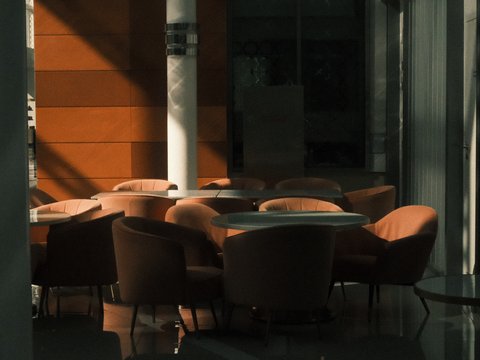
Film Reel Gold takes a slightly different approach to the Kodak-inspired look. Built on Classic Negative, it keeps the tone curve at 0/0 and uses straightforward Daylight white balance rather than an aggressive warm shift. Raised colour and softened clarity give photographs a nostalgic character without pushing every scene towards strong golden tones.
Base simulation: Classic Negative
Compatible sensors: X-Trans IV, X-Trans V, and GFX.
Key characteristics:
- Dynamic range and tone: Untouched Highlight and Shadow curves at 0/0.
- Colour: Raised colour with softened clarity and sharpness.
- White balance: Straight Daylight WB.
- Grain: Strong Small.
- Color Chrome FX: Off.
Best for: Indoor lamps, overcast streets, cafés, and everyday photography.
Explore the Film Reel Gold recipe.
4. Kodak Radiant Chrome: For Painterly Street Colours

Kodak Radiant Chrome combines Classic Chrome with bold warm highlights and softened shadows. Its muted colour palette, reduced clarity, and strong small grain create a more painterly finish. Try it when you want street photographs to feel textured and nostalgic rather than overly sharp.
Base simulation: Classic Chrome
Compatible sensors: X-Trans IV, X-Trans V, and GFX.
Key characteristics:
- Dynamic range and tone: Bold warm highlights with softened shadows.
- Colour: Muted palette.
- Sharpness and clarity: Reduced for a softer finish.
- White balance: Warm golden-hour R/B shift.
- Grain: Strong Small.
Best for: Street markets, golden-hour walks, and atmospheric travel photography.
Explore the Kodak Radiant Chrome recipe.
5. Kodak Filmstock: For Faded Summer Colours

Kodak Filmstock uses Nostalgic Negative to create a vibrant yet faded interpretation of warm consumer film. DR400 provides highlight protection, while the softened settings and strong Chrome effects add depth to bright outdoor colours. It is worth trying when you want summer photographs to retain their atmosphere without looking overly polished.
Base simulation: Nostalgic Negative
Compatible sensors: X-Trans V and GFX.
Key characteristics:
- Dynamic range: DR400 with softer shadows.
- Colour: Vibrant, faded palette.
- Sharpness and clarity: Reduced.
- White balance: Warm summer travel shift.
- Color Chrome Effect: Strong.
- Color C
Kodak Sunwashed pairs Nostalgic Negative with DR400 and a 4500K R+2 B-5 shift for postcard warmth.
Browse all ninety-one verified recipes on our Fujifilm Recipes hub to copy settings for your exact camera.
How Base Simulations Shape Your Gold 200 Settings in Camera?
You can build a convincing Kodak Gold 200 Fujifilm recipe on three different base simulations depending on your camera. Choosing between Classic Chrome, Nostalgic Negative, and Classic Negative changes how shadows and skin tones behave.
Here is how each of the three core film simulations shapes your Gold 200 settings in practice:
- Classic Chrome (Used in Gold Chrome & Radiant Chrome) starts with cool, muted shadows and restrained red channels.
- Why it works for Gold 200 is that lifting Color to plus two or plus three warms highlights cleanly.
- Best camera match is X-Trans III, X-Trans IV, X-Trans V, and GFX bodies shooting bright sunny streets.
- Nostalgic Negative (Used in Kodak Sunwashed & Filmstock) bakes warm amber directly into highlights and midtone shadows.
- Why it works for Gold 200 is that amber shadow tonality mimics aged 1970s and 1980s Kodak consumer prints.
- Best camera match is fifth-generation X-Processor 5 bodies (X100VI, X-T5, X-T50, X-E5, X-S20, X-M5) and GFX.
- Classic Negative (Used in Film Reel Gold) separates warm golden highlights from teal-leaning shadows with punchy contrast.
- Why it works for Gold 200 is that straight Daylight white balance makes indoor lamps and overcast streets glow.
Gold Chrome uses Classic Chrome on X-Trans IV and GFX bodies to bring warm analog energy to street scenes.
Explore our complete guide to Fujifilm Film Simulations to compare all twenty built-in color and monochrome modes.
How Grain and Color Chrome Shape Your Kodak Gold JPEGs Now
Authentic Gold 200 settings rely on more than white balance shifts and base simulations to feel like 35mm film. Grain Effect, Color Chrome Effect, and Sharpness work together inside the processor to replace digital crispness with analog texture.
Here is how to tune grain, Color Chrome, and sharpness across our verified Gold recipes:
- Strong Large grain in Kodak Sunwashed creates a bold, tactile vintage print texture across coastal skies and cafés.
- Strong Small grain in Film Reel Gold and Kodak Radiant Chrome adds fine 200-speed grit without overwhelming smaller details.
- Weak Small grain in Kodachrome Shade keeps texture subtle when you plan to crop street frames more tightly.
- Color Chrome Effect set to Strong expands tonal gradation inside saturated yellows and reds so sunlit walls never clip.
- Negative Sharpness and negative Clarity pull edges away from clinical digital crunch so warm afternoon light blooms gently.
Tuning Gold 200 Settings for X-Trans IV, X-Trans V, and GFX
Copying Gold 200 settings between fourth-generation and fifth-generation bodies without checking blue rendering can shift sky colors. A quick sensor check on our Fujifilm sensors directory keeps your golden warmth balanced on every body.
Here are the four cross-sensor adjustments that keep your Kodak Gold Fuji recipe accurate on any hardware:
- Step Color Chrome FX Blue down one level when moving an X-Trans IV Classic Chrome Gold recipe onto X-Trans V.
- Use our free Recipe Converter on the FujiPic Tools page to translate X-Trans IV and V settings in one click.
- Replace Nostalgic Negative on X-Trans IV by switching Kodak Sunwashed to Classic Chrome with an extra +1 Red shift.
- Compare Small and Large grain on 40MP sensors, where Kodak Sunwashed uses Strong Large grain for retro texture.
- Check your camera model on our Fujifilm cameras page if you shoot hybrid bodies like the X-S20 or X-M5.
Check our Fujifilm DR400 vs DR200 guide to see why DR400 protects bright summer highlights in Gold recipes.
Field Exposure and Lighting Rules for a Fujifilm Film Look
Real Kodak Gold 200 35mm film thrives when you feed it plenty of light during sunny afternoons and golden hour. Matching your exposure compensation dial and white balance preset to the sky brings out that authentic Fujifilm film look.
Here are the four field shooting habits that make Gold 200 recipes shine straight out of camera:
- Bright Midday Sun and Coastal Beach Walks
Under intense midday sun, load Kodak Filmstock or Gold Chrome with DR400 locked in to protect bright clouds. Keep your exposure compensation dial between zero and plus one-third stop so shadows stay warm without clipping white sand. Strong Color Chrome Effect deepens saturated yellows, reds, and ocean blues so midday frames never look flat.
- Golden Hour Markets and Late Afternoon Sun
Golden hour is where Kodak Sunwashed and Kodak Radiant Chrome deliver their richest postcard glow. Because both recipes use a fixed Kelvin or warm daylight shift, your camera will not neutralize the orange sunset. Nudge exposure compensation to plus one-third or plus two-thirds of a stop when backlighting hair or street silhouettes.
- Warm Indoor Lamps and Overcast Street Walks
Many sunny Gold recipes look overly yellow indoors because their negative Blue shift stacks onto warm tungsten bulbs. When you step inside a café or walk under grey clouds, switch your slot to Film Reel Gold. Its straight Daylight white balance on Classic Negative lets warm practical lamps glow gold while window light stays honest.
Pastel Portra Chrome offers a gentler, lower-contrast alternative on Classic Chrome when midday light needs softer contrast.
Read our 5 Best Fujifilm Golden Hour Recipes guide to compare warm sunset looks across every sensor family.
When to Avoid Gold 200 Settings (And What to Load Instead)?
Every film-inspired recipe has lighting conditions where it works beautifully and others where its colours can become difficult to manage. Knowing when to switch from your Kodak Gold 200 Fujifilm recipe helps avoid overly orange skin tones, muddy shadows, and noisy night shots.
Here are the four situations where you should swap your Gold recipe for a better-suited custom slot:
- Controlled studio flash portraits: Strong warm shifts overwhelm studio skin, so switch to Warm Amber on PRO Negative Standard.
- Cool blue-hour twilight scenes: Heavy amber shifts fight blue twilight, so switch to Night Reversal or Late Night Print.
- Clinical product or architectural work: Reduced clarity and sharpness in Kodak Radiant Chrome soften fine edges deliberately.
- Dreary rainstorms with zero warm light: Switch to Softened Daylight or Bleached City Tone when heavy rain flattens contrast.
- Compare other real film stocks: Open our free Film Stock Matcher when you want Portra 400 or Tri-X instead.
Browse our Fujifilm Recipes for Cloudy Weather guide for four setups built specifically for grey skies and rain.
Find Your Favourite Kodak Gold-Inspired Fujifilm Look
The best Kodak Gold-inspired recipe depends on your camera, the light you’re shooting in, and how warm or saturated you want your photographs to look. Explore the FujiPic recipe collection to compare different Gold-inspired looks and check their compatibility with your sensor before saving them. Once you find a favourite, load it into a custom slot and start capturing your own take on classic film colours.
Bring that golden film look straight to your camera. Explore Kodak-inspired Fujifilm recipes on FujiPic.
Frequently Asked Questions
1. What Is the Best Kodak Gold 200 Fujifilm Recipe?
If you own a fifth-generation X-Trans V and GFX cameras, Kodak Sunwashed and Kodak Filmstock on Nostalgic Negative are top picks. For fourth-generation X-Trans IV cameras like the X100V and X-T4, Gold Chrome and Kodak Radiant Chrome excel. For warm indoor lamps and overcast streets, Film Reel Gold on Classic Negative delivers rich cinema warmth.
2. Which Film Simulation Looks Most Like Gold 200?
Classic Chrome and Nostalgic Negative are the two best starting points for a Kodak Gold Fujifilm film look. Classic Chrome gives you punchy consumer contrast when paired with Color plus three and a warm white balance shift. Nostalgic Negative adds warm amber directly into shadows and highlights, mimicking vintage Gold 200 prints on newer bodies.
3. What White Balance Shift Creates Gold 200 Tones?
Pushing Red toward plus two or plus three and pulling Blue toward minus five creates classic Gold 200 warmth. For example, Kodak Sunwashed pairs a 4500K Kelvin base with R+2 and B-5 for golden coastal light. You can preview how that exact diagonal shift affects skin and skies using our free WB Shift Visualizer.
4. Can I Use Kodak Gold Recipes on X-Trans III?
Yes, X-Trans III cameras like the X-T2, X-Pro2, and X100F can run Classic Chrome Gold recipes easily. Simply use Gold Chrome or Faded Agfa Green and skip newer menu lines like Clarity and Color Chrome. Set Grain Effect to Strong and Noise Reduction to minus four to keep that gritty 200-speed analog texture.
5. Why Do My Gold 200 Photos Look Too Yellow?
If your photos look overly yellow, you are likely shooting a fixed-Kelvin sunlit recipe under warm indoor tungsten bulbs. A negative five Blue shift combined with 3000K indoor lighting doubles up the orange-yellow color cast on skin. Switch to Film Reel Gold or a slot using Auto White Priority like Kodak Softlight when moving indoors.
6. Should I Overexpose Kodak Gold Fuji Recipes?
A slight positive exposure bias of plus one-third to plus two-thirds stop works well in open shade or backlight. However, unlike real 35mm negative film, digital sensors clip permanently if you overexpose bright clouds by two stops. Always enable DR400 in your Gold 200 settings so your camera protects two extra stops of highlight detail.
7. How Does Kodak Gold Differ From Portra Recipes?
Kodak Portra 400 recipes like Pastel Portra Chrome and Quiet Portra 170 prioritize softer contrast and gentle portrait skin. Kodak Gold 200 recipes like Gold Chrome and Kodak Sunwashed push stronger golden saturation, deeper shadows, and bolder grain. Choose Portra recipes when flattering faces comes first, and choose Gold 200 recipes for vibrant street and travel scenes.
8. Do Gold 200 Settings Work for Fujifilm Video?
Most Gold 200 recipe parameters, including Film Simulation, White Balance Shift, Tone Curve, and Color Chrome, carry into video mode. However, Grain Effect and Clarity are still-photo settings and do not apply to recorded video footage on Fujifilm bodies. If you want a smooth vintage look for video clips, also test Kodak Pale Holiday on the Eterna simulation.