CameraX-T SERIES2020

Fujifilm X-T4

Fujifilm X-T4 film simulation recipes on FujiPic number 38, all tested on the camera's 26.1 MP X-Trans IV sensor. The body offers 18 film simulations, from Classic Negative to Acros. Enthusiasts who shoot in changing light benefit most, because 5-axis IBIS rated at up to 6.5 stops keeps slow handheld recipes sharp after sunset or indoors.
38
Compatible Recipes
18
Film Simulations
26.1 MP
Sensor
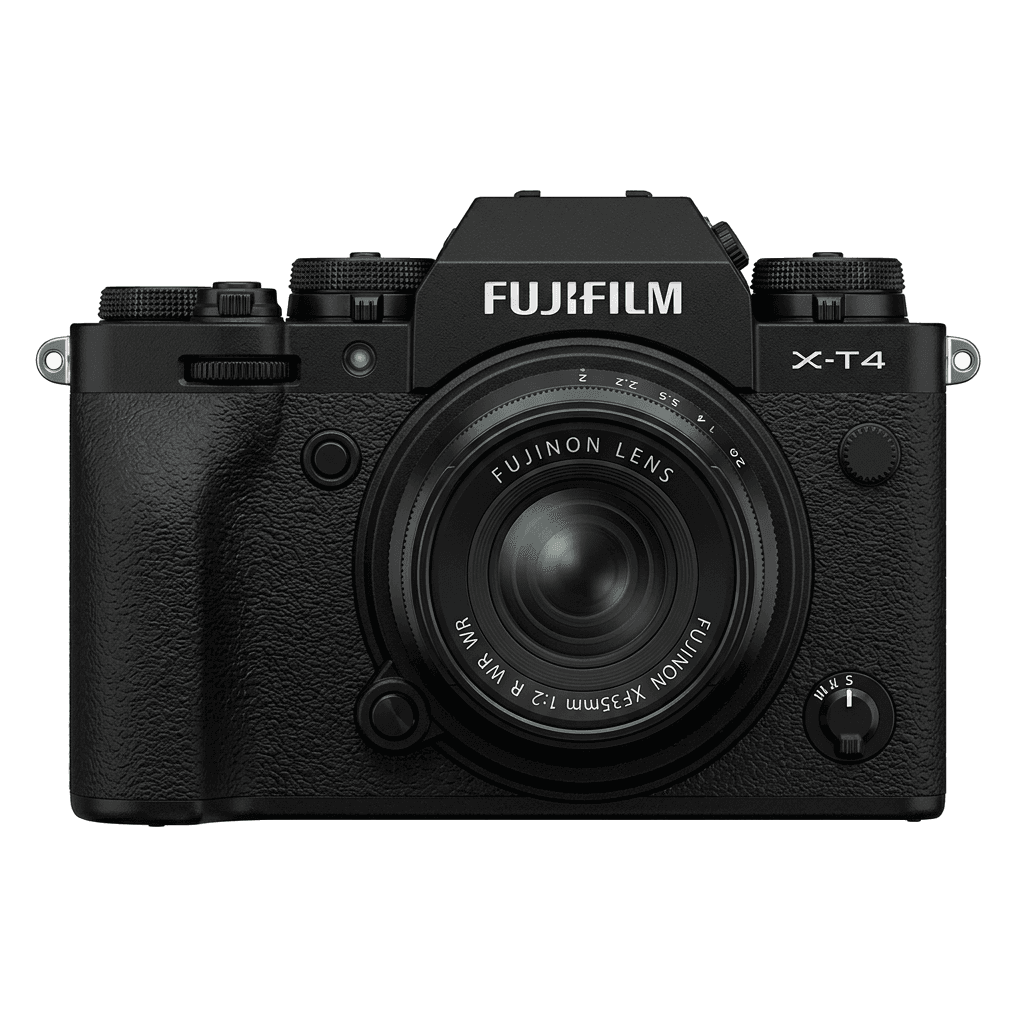
X-T4 studio product photo
Quick specs

What's inside the X-T4.

Every recipe on FujiPic is tested against this exact body. Spec sheet straight from Fujifilm, with our notes on which features matter for film simulation work.

Full datasheet ↗
Sensor family

X-T4 uses the X-Trans IV - read what makes this sensor special.

Explore sensor →
Recipes for this camera

38 recipes tuned for X-T4.

View all ↗
Setup notes

Three things to know before applying a recipe.

  1. 01

    Update firmware

    Make sure your X-T4 is on the latest firmware - newer recipes use parameters that older firmware does not expose.

  2. 02

    Use C-slots

    Save each recipe to a C1-C7 custom preset. Switch between them instantly via the Q menu instead of re-entering values.

  3. 03

    Auto white balance

    Most FujiPic recipes use Auto White Balance with a kelvin shift. Set the shift; let the camera handle the temp.


FAQ

About this camera.

The X-T4 supports all X-Trans IV recipes, including Classic Negative and Eterna.
Yes, the X-T4 features 5-axis in-body image stabilisation up to 6.5 stops.
Navigate to 'Edit/Save Custom Setting' in the menu, choose a slot, and input your settings.
The black-and-white recipes listed for the Fujifilm X-T4 use Acros, Acros+Y or Monochrome. Examples on FujiPic include Kodak Silver Mono on Acros, Deep Acros Mono on Acros+Y and Fine Grain Mono on Monochrome, each saved like color or night photography recipes.
Yes. The X-T4 and the X-S10 share a 26.1 MP X-Trans IV sensor, and FujiPic, with film simulation recipes for every Fujifilm body, lists 38 for each. A recipe tested on the X-T4 should render the same way on the X-S10.
Yes. Open Edit/Save Custom Setting, pick the recipe's slot and adjust any value, such as white balance shift, grain or the strength covered in Color Chrome Effect explained. The X-T4 keeps the edited version there, so you can fine-tune over time.
Similar cameras

If you shoot the X-T4, you'll like...