Fujifilm Black and White Recipes for Timeless Photos
Fujifilm black and white recipes for street, portraits and architecture: Acros filter modes, monochrome settings, and eight FujiPic looks with sample photos.
Loading verified Fujifilm black and white recipes transforms ordinary city streets, harsh midday shadows, and quiet portraits into silver-gelatin art. When Fujifilm introduced Acros on X-Trans III processors, photographers gained an organic black-and-white engine with non-linear grain. Building a custom Acros recipe means balancing yellow, red, or green filter curves against highlight and shadow tones.
Choosing the right Fujifilm black and white recipe depends on whether your scene needs gritty contrast or smooth grays. This practical guide explains Fuji monochrome settings, filter variations, and seven monochrome recipes from the FujiPic library. You will also find complete menu specifications in easy bullet points alongside unedited camera sample photos.
Why Fujifilm Black and White Recipes Beat Digital Grayscale
Many newcomers assume Fujifilm Acros recipes are simply desaturated color files with a fancy analog film label attached. In reality, Acros uses a dedicated processor algorithm modeled after Fujifilm Neopan 100 Acros silver-halide monochrome film.
Here are the three core engineering differences that give an Acros recipe its unmistakable silver-gelatin depth:
- ISO-Reactive Organic Silver Grain Structure
Unlike standard digital grayscale that applies uniform noise across the frame, Acros generates organic, non-linear grain curves. As your ISO sensitivity climbs from 200 toward 3200, Acros naturally increases its built-in filmic texture. Bright highlights remain smooth and paper-clean while midtones and shadows develop tactile silver-halide clustering before adding Grain Effect.
- Smooth Highlight Roll-Off and Deep Blacks
Standard Monochrome uses a linear tonal curve that can feel clinical or flat on modern digital sensors. Acros protects delicate highlight gradations across clouds and foreheads while dropping deep shadows into rich, velvety black. That micro-contrast separation makes weathered concrete, wet cobblestones, and architectural arches pop without needing heavy post-processing.
- Hardware Support From X-Trans III Through V
Every camera built from the X-Pro2 and X-T2 generation onward includes Acros inside the Fujifilm simulations menu. Earlier X-Trans I and X-Trans II cameras lack the processing power required for Acros’s complex noise-shaping math. If you shoot X-Trans III, X-Trans IV, X-Trans V, or GFX bodies, Acros sits ready in your menu.
Read our Fujifilm Grain Effect settings guide to see how Acros’s built-in ISO texture interacts with added grain.
Understanding Acros Yellow, Red, and Green Filter Modes
Every Acros recipe starts by picking one of four built-in optical filter variations inside your Film Simulation menu. These digital filters replicate threading physical yellow, red, or green glass onto a traditional black-and-white film lens.
Here is the complete filter physics breakdown showing how each Acros variant changes sky, foliage, and skin luminance:
| Simulation Variant | Optical Filter Equivalent | Effect on Blue Skies & Clouds | Effect on Skin & Foliage | Best Photography Subjects |
| Acros (Standard) | No Colored Filter | Natural gray sky luminance | Neutral skin and leaf tones | Everyday street, indoor documentary, mixed light |
| Acros+Ye (Yellow) | Wratten #8 Yellow Glass | Slightly darkens blue skies, lifts clouds | Smooths warm skin blemishes subtly | All-purpose street, architecture, outdoor travel |
| Acros+R (Red) | Wratten #25 Red Glass | Turns blue skies dramatic near-black | Renders red lips and brick very bright | Bold minimalist geometry, desert, storm clouds |
| Acros+G (Green) | Wratten #11 Green Glass | Minimal sky darkening | Lightens green foliage, adds lip/skin depth | Woodland landscapes, textured environmental portraits |
- Pick Acros Standard when shooting indoor cafes, night streets, or overcast alleys where blue sky contrast does not matter.
- Pick Acros+Ye as your default outdoor filter because it separates white clouds from blue sky without looking artificial.
- Pick Acros+R when you want stark Ansel Adams landscape skies or graphic shadows across white concrete facades.
- Pick Acros+G when walking through dense forests or framing rugged character portraits where skin texture needs separation.
Explore our Complete Guide to Fujifilm Film Simulations to see how Acros compares against all twenty camera modes.
Four Fujifilm Black and White Recipes Built on Acros
Rather than locking every black-and-white walk into one rigid look, our FujiPic recipes catalog offers distinct Acros setups. Below we explain four verified Fujifilm Acros recipes using scannable sentences and short bullet specs instead of tables.
Here are four signature Acros recipes from FujiPic with their exact settings, sensor compatibility, and shooting scenarios:
1. Deep Acros Mono (Acros+Y Bold Drama)

Built around Acros+Y for X-Trans IV, X-Trans V, and GFX sensors, Deep Acros Mono delivers stark architectural weight. The yellow filter darkens blue skies while smooth midtone transitions keep stone arches and street shadows looking refined. Load this Fujifilm black and white recipe whenever minimalist buildings, dramatic landscapes, or gritty streets demand bold contrast.
- Deep Acros Mono Core Specs: Uses Acros+Y on X-Trans IV, V, and GFX with deep shadows and strong grain.
2. Kodak Silver Mono (Cool Gritty Street)

Designed for X-Trans IV, X-Trans V, and GFX bodies, Kodak Silver Mono channels classic silver-halide street film. It combines standard Acros with restrained highlights, deep characterful shadows, weak grain, and a cool daylight white balance shift. Use Kodak Silver Mono on concrete surfaces, urban alleys, and cloudy architectural walks where texture matters most.
- Kodak Silver Mono Core Specs: Uses Acros on X-Trans IV, V, and GFX with restrained highlights and Weak grain.
3. High Contrast Roll (Pushed X-Trans III/IV)
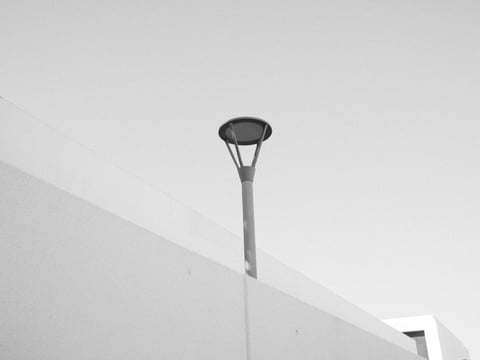
Verified specifically for X-Trans III (X-T2, X-Pro2, X100F, X-H1, X-E3), X-Trans IV, and GFX, High Contrast Roll punches hard. It pairs deep inky blacks and crisp whites with strong grain and slightly lifted exposure like pushed film. Shoot High Contrast Roll in harsh midday sun where sharp geometric shadows carve across modern buildings and interiors.
- High Contrast Roll Core Specs: Runs on X-Trans III, IV, and GFX with deep blacks, bright whites, and Strong grain.
4. Acros Smoke Tone (Soft Shadow Urban Grit)

When harsh contrast feels too aggressive, Acros Smoke Tone softens the frame using DR400 and Shadow minus two. It pairs Sharpness minus two, Clarity zero, and High ISO Noise Reduction minus four with Strong Small grain. Because Clarity stays at zero with a 4000K (R 0, B -5) shift, your camera shoots with zero lag.
- Acros Smoke ToneTone Specs: Uses Acros, DR400, Highlight 0, Shadow -2, WC 0, and Sharpness -2.
- Acros Smoke Tone Grain & WB: Uses NR -4, Clarity 0, Strong Small grain, and 4000K (R 0, B -5).
Kodak Silver Mono uses Acros with restrained highlights, deep shadows, and weak grain to give urban architecture timeless weight.
Browse all monochrome and color setups on our Fujifilm Recipes page to load your favorite black-and-white look today.
Dialing In Fuji Monochrome Settings for Silver Print Tones
Once you pick an Acros base, four supporting Fuji monochrome settings determine whether your JPEG looks clinical or darkroom-printed. Understanding how toning, sharpness, and color controls behave in black and white saves you from wasted menu tweaks.
Here are the five essential parameter rules for tuning any Fujifilm black and white recipe in camera:
- Monochromatic Color (WC and MG) lets you shift gray tones toward Warm/Cool (Amber/Blue) and Magenta/Green like darkroom paper toners.
- Setting WC to -1 or -2 mimics cool selenium-toned prints, while WC +1 or +2 emulates warm darkroom paper.
- Color Chrome Effect and FX Blue have zero visual effect on Acros JPEGs because they only process color channels.
- White Balance Shift (R/B) never tints a neutral WC 0 monochrome JPEG, though it affects RAW editor previews.
- Negative Sharpness (-1 to -2) with High ISO NR -4 prevents crunchy digital halos while letting organic Acros grain breathe.
Check our Fujifilm Color Chrome Effect guide to see why Chrome controls only apply to color simulations.
When to Pick Standard Monochrome Over an Acros Setup Today?
Although Acros gets the most headlines, Fujifilm’s standard Monochrome simulation remains a secret weapon for softer grayscale rendering. Because standard Monochrome lacks Acros’s built-in S-curve and high-ISO grain surge, it excels in quiet, overcast scenes.
Here are three verified Monochrome and Sepia recipes on FujiPic that complement your Acros slots:
- Fine Grain Mono(Ilford Pan F 50 Plus Inspiration): Built on standard Monochrome for crisp architectural details.
- Key Fuji monochrome settings: Uses DR100 for full contrast, gentle highlights, subtly deeper shadows, Clarity +2, and Weak Large grain.
- Kodak Fine Mono(Kodak T-Max 100 Inspiration): Built on Monochrome+G (Green Filter) for quiet overcast walks and interiors.
- Key Fuji monochrome settings: Pairs lifted shadows (Shadow +1.5) with Weak Large grain for smooth gray transitions without harsh punch.
- Clean Mono and Vintage Sepia: Built on Monochrome (DR400, softest sharpness for overcast grit) and Sepia (warm album toning).
Deep Acros Mono pairs Acros+Y with deep shadows and strong grain for bold architectural and street compositions.
Read our How to Build a Custom Fujifilm Recipe guide for step-by-step instructions on crafting an Ilford HP5-inspired Acros setup.
How to See and Meter Light in Black and White ?
Switching from color to a Fujifilm black and white recipe requires retraining your eye to ignore hue contrast. A bright red door against a green wall pops in Classic Chrome, but both turn into identical mid-gray in Acros.
Here are three practical shooting habits that immediately elevate your black-and-white JPEGs in the field:
- Compose Using Luminance, Texture, and Shape
Because your electronic viewfinder previews your active Acros recipe in real time, you see the world in grayscale immediately. Look for strong diagonal sidelight, backlighting through street steam, wet pavement reflections, and rough stone or fabric textures. When two subjects share similar brightness, shift your angle until a dark shadow or bright sky separates them.
- Ride the Exposure Compensation Dial Actively
Your physical EV dial is the fastest way to transform the mood of any Acros recipe mid-walk. Dial down to minus two-thirds or minus one full stop in midday sun to turn alleys into film noir. Nudge exposure up to plus one-third stop on misty mornings with Kodak Fine Mono for an airy silver print.
- Match Dynamic Range to Your Lighting Contrast
High-contrast setups like Fine Grain Mono and High Contrast Roll use DR100 so whites feel electric and blacks stay deep. However, shooting a gritty DR400 recipe like Acros Smoke Tone or Clean Mono in very dim light can look muddy. Use DR400 under bright overcast skies or harsh sun to protect cloud texture, and drop to DR100 indoors.
Adapting Black and White Recipes Across Sensor Families
Unlike newer color simulations that only exist on recent bodies, Acros spans three full generations of Fujifilm sensors. Still, minor menu differences between 24MP X-Trans III, 26MP X-Trans IV, and 40MP X-Trans V bodies affect your setup.
Here is how to adapt any Acros recipe cleanly across older and newer Fujifilm cameras:
- X-Trans III cameras (X-T2, X-Pro2, X100F, X-E3, X-T20) run High Contrast Roll natively without needing Clarity or Grain Size.
- Early X-Trans IV bodies (X-T3, X-T30 Gen 1, X-H1) support Acros and Monochromatic Color WC shifts; simply skip Clarity.
- Forty-megapixel X-Trans V sensors (X100VI, X-T5, X-T50) resolve fine detail, so pair Strong grain with Large or Weak with Small.
- Older X-Trans I and II cameras (X-Pro1, X-T1, X100T) lack Acros; select Monochrome+Ye or Monochrome+R with Shadow +2 instead.
- GFX medium-format bodies (GFX100 II, GFX100S) support every Acros recipe in the FujiPic catalog with extraordinary tonal depth.
Need to translate settings between camera generations? Use our free Fujifilm Recipe Converter on the Tools page right now.
Find Your Fujifilm Black and White Recipe
Getting the most out of Fujifilm Acros comes down to choosing the right filter, contrast, and grain for the scene you’re shooting. Start with a recipe that suits your camera and preferred monochrome style, then experiment with exposure and tonal settings to bring out the textures and shadows you love. Explore the FujiPic recipe collection for more Acros and monochrome looks to save to your custom slots.
See the world differently, one frame at a time. Find your next favourite Fujifilm monochrome recipe.
Frequently Asked Questions
1. What Is the Best Fujifilm Black and White Recipe?
For gritty street and architectural photography without Clarity lag, start with Acros Smoke Tone or Kodak Silver Mono. If you want bold, dramatic skies and stark shadows using the yellow filter, load Deep Acros Mono on Acros+Y. Owners of X-Trans III and IV bodies shooting harsh daylight geometry should load High Contrast Roll for pushed film punch.
2. How Is Acros Different From Standard Monochrome?
Standard Monochrome is available on every X-Series camera and offers a flatter, smoother grayscale response for quiet scenes. Acros arrived with X-Trans III and adds deeper shadow contrast, smoother highlight roll-off, and an ISO-reactive organic grain curve. Choose Acros for rich silver-halide street depth, or choose Monochrome for soft overcast recipes like Kodak Fine Mono.
3. When Should I Use Acros+Y, Acros+R, or Acros+G?
Use Acros+Ye (Yellow) for everyday outdoor street and travel walks because it gently darkens blue skies and lifts clouds. Switch to Acros+R (Red) when you want dramatic, near-black skies and extreme contrast across sunlit concrete or desert landscapes. Select Acros+G (Green) for portraits or woodland walks where green foliage needs lightening and skin texture deserves separation.
4. Does Color Chrome Effect Work on Acros Recipes?
No, Color Chrome Effect and Color Chrome FX Blue only process saturated color channels like red, yellow, and blue. When your camera is set to Acros, Monochrome, or Sepia, changing Color Chrome settings produces zero visible difference. You can leave Color Chrome Off in your monochrome slot and focus on Highlight, Shadow, and Monochromatic Color instead.
5. Does White Balance Shift Change Acros JPEGs?
If Monochromatic Color (WC and MG) sits at zero, White Balance and R/B shifts do not tint your black-and-white JPEG. However, if you shoot RAW+JPEG, your saved white balance shift determines how the embedded color preview opens in editors. To tint your actual camera JPEG warm or cool, adjust the Monochromatic Color WC and MG grid in your menu.
6. Should I Add Grain Effect to an Acros Recipe?
Because Acros already builds organic grain as ISO rises, high-ISO shots at ISO 3200 look textured even with Grain Off. At base ISO 160 or 400 in daylight, adding Weak Small or Strong Small grain gives smooth areas analog bite. Test Grain Off, Weak Small, and Strong Small on the same street corner to see which texture suits your eye.
7. Which Fujifilm Cameras Support Acros Recipes?
Acros is supported on all X-Trans III, X-Trans IV, X-Trans V, and GFX medium-format cameras released since early 2016. That includes popular models from the X-Pro2, X-T2, and X100F all the way to the X100VI, X-T5, and X-E5. You can check your exact camera body’s supported simulations and compatibility anytime on our Fujifilm Cameras directory.
8. Are Acros Recipes Good for Portrait Photography?
Yes, Acros makes a wonderful portrait simulation provided you avoid harsh positive Shadow curves that age facial lines. Avoid aggressive architectural setups like High Contrast Roll or Fine Grain Mono when flattering skin tones are your priority. Instead, set Highlight to zero, Shadow to minus two, Sharpness to minus two, and Noise Reduction to minus four.