
본문으로 건너뛰기
카메라X-E SERIES2013

Fujifilm X-E2

Fujifilm X-E2 film simulation recipes suit the rangefinder-style X-E2 and its 16.3 MP X-Trans II sensor. The body has 11 film simulations, and its one tested FujiPic recipe is built on Classic Chrome. For X-mount shooters who want one look across a full day, a saved recipe keeps frames consistent. Classic Negative recipes will not apply here.
1
호환 레시피
11
필름 시뮬레이션
16.3 MP
센서
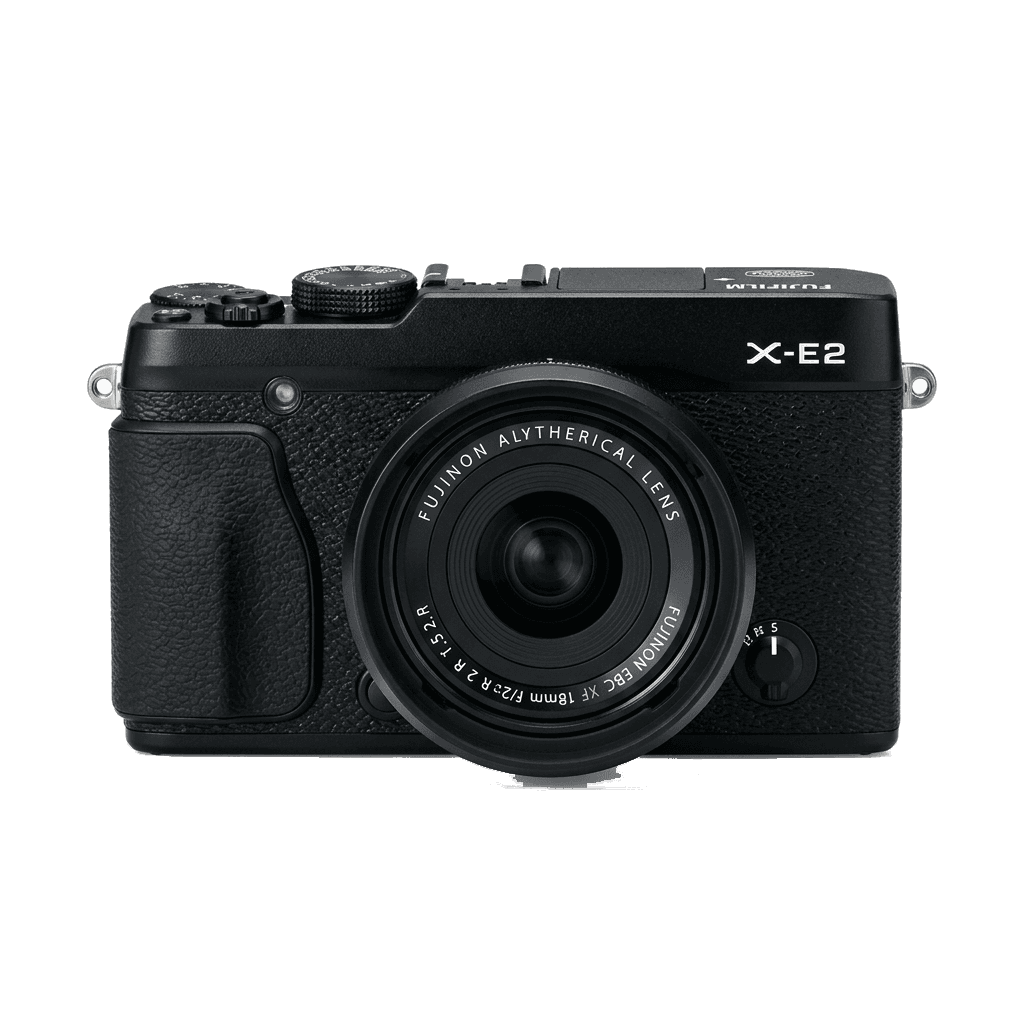
X-E2 studio product photo
주요 사양

X-E2 안에는 무엇이 있나.

FujiPic의 모든 레시피는 바로 이 바디에서 검증했습니다. 사양은 후지필름 공식 자료를 바탕으로, 필름 시뮬레이션에 영향을 주는 항목에 설명을 덧붙였습니다.

전체 사양 ↗
센서 계열

X-E2는 X-Trans II를 씁니다. 이 센서의 특징을 확인해 보세요.

센서 보기 →
이 카메라의 레시피

X-E2에 맞춘 레시피 1개.

전체 보기 ↗
설정 참고

레시피를 넣기 전에 알아둘 세 가지.

  1. 01

    펌웨어 업데이트

    X-E2의 펌웨어를 최신으로 유지하세요. 최근 레시피는 예전 펌웨어에 없는 항목을 사용하기도 합니다.

  2. 02

    C 슬롯 활용하기

    각 레시피를 C1–C7 커스텀 프리셋에 저장해 두세요. 값을 다시 입력하지 않아도 Q 메뉴에서 바로 전환할 수 있습니다.

  3. 03

    오토 화이트밸런스

    FujiPic 레시피 대부분은 오토 화이트밸런스에 켈빈 시프트를 더해 씁니다. 시프트만 설정하고 색온도는 카메라에 맡기세요.

자주 묻는 질문

이 카메라에 대하여.

The X-E2 can run recipes for X-Trans II sensors, missing newer features like Classic Negative.
No, the X-E2 lacks in-body image stabilisation, so rely on lens-based or external stabilisation.
Use the Q Menu to select and edit a custom slot, adjusting settings to your desired recipe.
Yes, in most cases. Both cameras use the X-Trans II sensor, and the Kodak Timeless Chrome recipe on FujiPic's home page lists the X-E2 and the X-E2S among its tested bodies. Settings saved on one should look very close on the other.
Usually not. The X-E4 has a 26 MP X-Trans IV sensor and simulations such as Classic Negative that the X-E2 lacks, so its recipes may name a base look you cannot select here. Compare how each Fujifilm film simulation looks.
The recipe FujiPic has tested on the X-E2, Kodak Timeless Chrome, starts from Classic Chrome. Select that simulation first, then enter the white balance, tone and other values before saving to a slot, as our article on Fujifilm recipe basics shows.
비슷한 카메라

X-E2를 쓰신다면 이런 기종도 좋아하실 겁니다…