Velvia
Intense contrast and deep hues make landscapes captivating. Suited for vibrant outdoor scenes.


Unedited JPEGs from x-trans-iv bodies — straight out of camera.
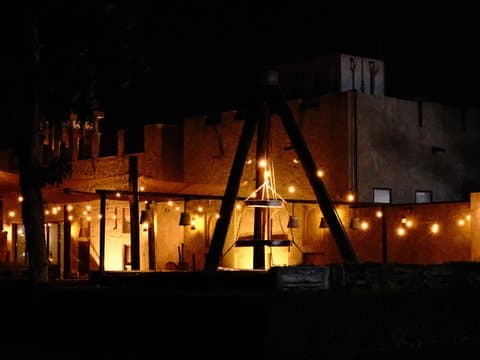
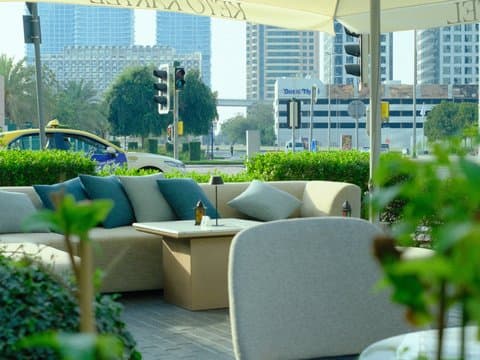
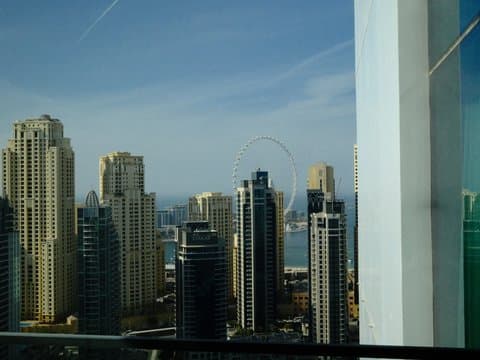
Velvia Punch turns Fujifilm's Velvia simulation into something intensely saturated, contrasty, and unmistakably green. The Custom Kelvin setting of 6590K paired with an R-9 shift pushes red as far down as the scale allows, giving the recipe its striking green cast across urban architecture and waterfront scenes. DR200, Highlight +2, Shadow +2, and Color +4 add further punch, while Strong Color Chrome FX and Blue FX deepen the colour character. It is made for scenes where bold colour matters more than natural restraint.
把下面的每个数值输入相机的自定义预设(C1–C7)。顺序与 x-trans-iv 机身的编辑/保存自定义设置菜单一致。
| 参数 | 数值 | 复制 |
|---|---|---|
| Film Simulation | Velvia | |
| Dynamic Range | DR200 | |
| Highlight | +2 | |
| Shadow | +2 | |
| Color | +4 | |
| Sharpness | +1 | |
| Noise Reduction | -4 | |
| Clarity | 0 | |
| Grain Effect | Weak | |
| Grain Size | Small | |
| Color Chrome FX | Strong | |
| Color Chrome FX Blue | Strong | |
| Monochromatic Color | WC 0 / MG 0 | |
| White Balance | Custom Kelvin (6590K) | |
| WB Shift | R -9 / B 0 | |
| ISO | up to ISO 6400 | |
| Exposure Compensation | 0 to +2/3 |
为 x-trans-iv, x-trans-v and gfx 传感器设计,已在下列机身上测试。
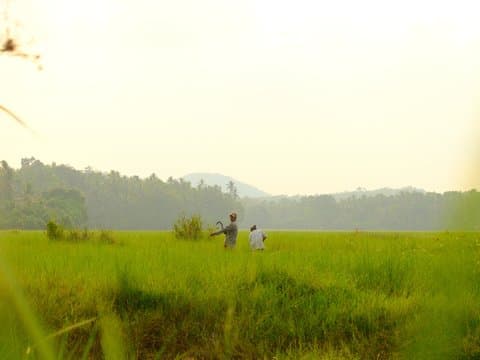
Velvia Punch channels the vintage look of classic Velvia film, renowned for its bold, eye-catching colours and strong contrast. This recipe accentuates vibrant hues with a rich saturation, making it perfect for outdoor scenes where nature's palette shines brightest. Expect greens to pop with life and blues to appear deep and inviting. Its strong colour chrome effects add depth, turning everyday scenes into striking compositions. While the highlights and shadows are pushed to illuminate and define, the overall image remains smooth, thanks to the subtle grain. It excels in transforming mundane settings into visually arresting vistas.
Ideal for bright, outdoor settings where you want to capture nature's vibrancy. Perfect for landscapes and saturated environments. Avoid using in low contrast or indoor settings where skin tones are important. The recipe excels in bringing out the drama in skies and foliage.
库中胶片模拟相近、氛围相似或面向同一传感器的其他配方。